What Does It Mean If My Schema Only Says WebSite?
If I look under the hood of your digital presence and the only thing I see is Schema: WebSite, I already know your developer was just trying to check a box and move on.
In the world of structured data (the behind-the-scenes code that tells Google what you actually are), there is a massive difference between an Internet Entity and a Physical Business.
What Is Schema Markup?
The Schema Markup, or just schema is a block of code that tells search engines and AI information about your company.
Here is a snippet of my code, the actual block is over 150 lines long:
      {
      "@type": "WebSite",
      "@id": "https://bizpin.pro/#website",
      "url": "https://bizpin.pro",
      "name": "BizPinPro",
      "publisher": { "@id": "https://bizpin.pro/#organization" },
      "potentialAction": {
        "@type": "SearchAction",
        "target": "https://bizpin.pro/blog/?q={search_term_string}",
        "query-input": "required name=search_term_string"
        }
      },
      {
      "@type": "Organization",
      "@id": "https://bizpin.pro/#organization",
      "name": "BizPinPro",
      "url": "https://bizpin.pro",
      "telephone": "+1-540-391-0404",
      "email": "contact@bizpin.pro",
      "logo": {
        "@type": "ImageObject",
        "url": "https://bizpin.pro/assets/logo-trimmed.svg"
      },
      "description": "BizPinPro builds and manages professional digital foundations for small businesses. Websites, SEO, Google Business Profile management, email hosting, and monthly reporting, done for you completely.",
      "foundingDate": "2024",
      "address": {
        "@type": "PostalAddress",
        "streetAddress": "5172 Godbey Ct",
        "addressLocality": "Dublin",
        "addressRegion": "VA",
        "postalCode": "24084",
        "addressCountry": "US"
      },
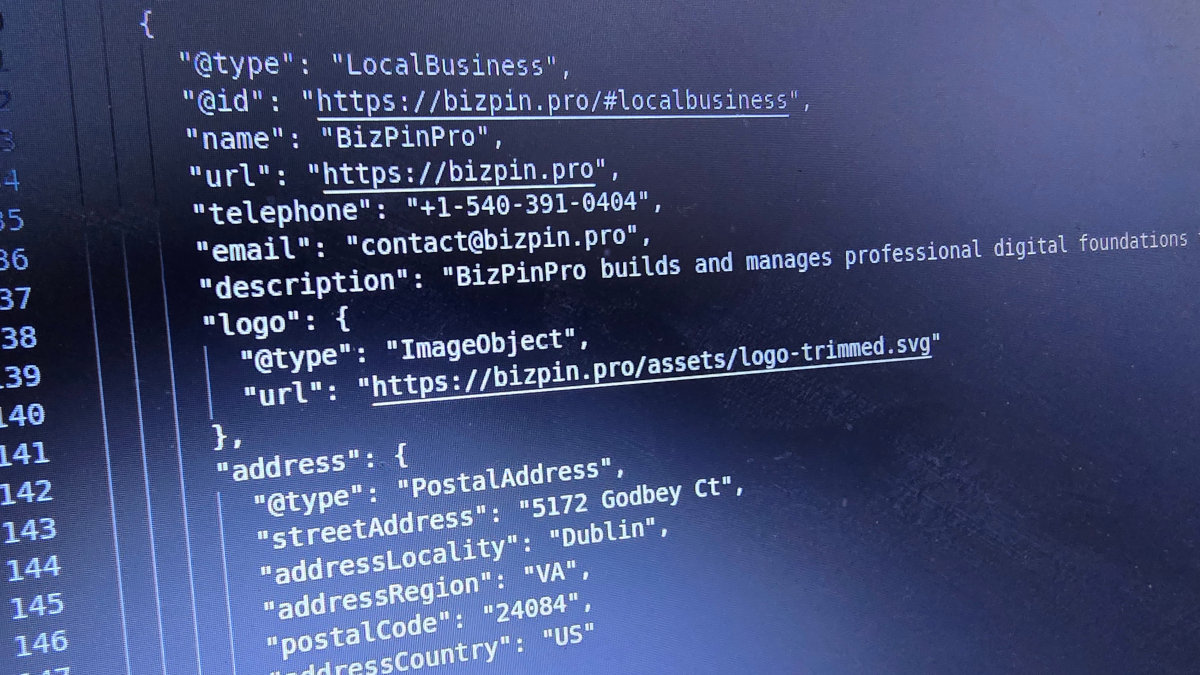
That block identifies the legal entity behind the site, the creator of your digital presence. It links your logo, your founding date, and your contact info to your brand. There are many more lines than this in my schema to give as much information to the automated systems as possible. These should be in the code of the homepage so when Google or any other system searches, it will find the important information. But you see that within my Schema Graph, I have "WebSite" but I also have "LocalBusiness" and "Organization" linked together.
   "@type": "LocalBusiness",
   "@id": "https://bizpin.pro/#localbusiness",
   "name": "BizPinPro",
   "url": "https://bizpin.pro",
   "telephone": "+1-540-391-0404",
   "email": "contact@bizpin.pro",
   "description": "BizPinPro builds and manages professional digital foundations for small businesses. Websites, SEO, Google Business Profile management, email hosting, and monthly reporting, done for you completely.",
   "logo": {
    "@type": "ImageObject",
    "url": "https://bizpin.pro/assets/logo-trimmed.svg"
   },
The Identity Mix-Up: "WebSite" vs. "LocalBusiness"
This is where most developers fail. When I audit a site, I often see the @type set to "WebSite" and nothing else.
The WebSite schema type is designed to describe the software container, the collection of pages itself. It’s for things like Wikipedia or a cat meme blog where the site is the only thing that exists. It tells Google: "I am a digital object on the internet."
But you aren't just a digital object. You have trucks, a physical address, a phone number, and a service area.
When a developer only uses WebSite schema, they are describing the "book" but completely forgetting to identify the Author.
Google thinks you're a blog, not a business.
Without a LocalBusiness or Organization tag, you are failing to tell Google the most important thing: Who owns these pages and where are they located?
If your code doesn't explicitly say LocalBusiness, you are effectively telling Google you have no brick-and-mortar presence and no physical service area. You’re just another internet entity floating in space.
How Do I Check My Schema?
Go to the people that developed the standard and check your website. Click the following link:
Enter in your site URL and see what the results are.
Check my site to see a fully fleshed-out version: https://bizpin.pro
I have updated a tool on my site that checks the domain and will now check the Schema markup as well.
If your site only says 'WebSite' and doesn't explicitly identify a LocalBusiness or ProfessionalService, then it needs fixing. If there are warnings or errors, they also need to be fixed.
If they are wrong, go check your developer's site. You might see that they know how Schema works, just didn't want it working for you.
Next, you call the person that developed your site, tell them they are incompetent (you may want to skip this step if you actually want it fixed by them), and tell them to fix the schema markup in your site, because it is wrong.
If they don't know what you're talking about, well, I think you know you need someone else to fix it.